Overview
FUN HUB Practice is Wilson Language Training's digital student platform designed to reinforce foundational literacy skills as an extension of the Wilson Fundations program. It provides interactive, weekly online activities tailored to grades and levels 1-3 to bridge the gap between classroom instruction and independent mastery.
Project Brief
So here’s the problem…
Students using the FUN HUB Practice platform lack motivation to complete reading activities, leading to low engagement and poor retention.
What are the Challenges?
How might we design FUN HUB Practice to better engage students, motivate consistent participation, and improve long-term retention?
My Role-
Full redesign of the FUN HUB Practice platform Using lean UX principles, I have conducted research, created wireframes and prototypes, and led both Visual and Interface Design.
Time
2024
My Team
Design
UX /UI Designer - Me
Manager - Angelica W.
Product Manager
Dana D.
Software Developers Michael A. + Kyle L.
TOOLS
Figma
Adobe Illustrator
Miro
Fig Jam
Understanding the Problem
Empathize

Wilson Language Training introduced digital products like FUN HUB Practice to better support the real-world needs of educators and students across remote, hybrid, and in-person learning environments. Accelerated by the COVID-19 pandemic, this shift prioritized continuity of instruction while also focusing on improving usability, engagement, and instructional efficiency. These digital solutions were designed to reduce classroom friction, support flexible workflows, and provide clearer visibility into student progress through more effective data tracking.
What we learned
Define
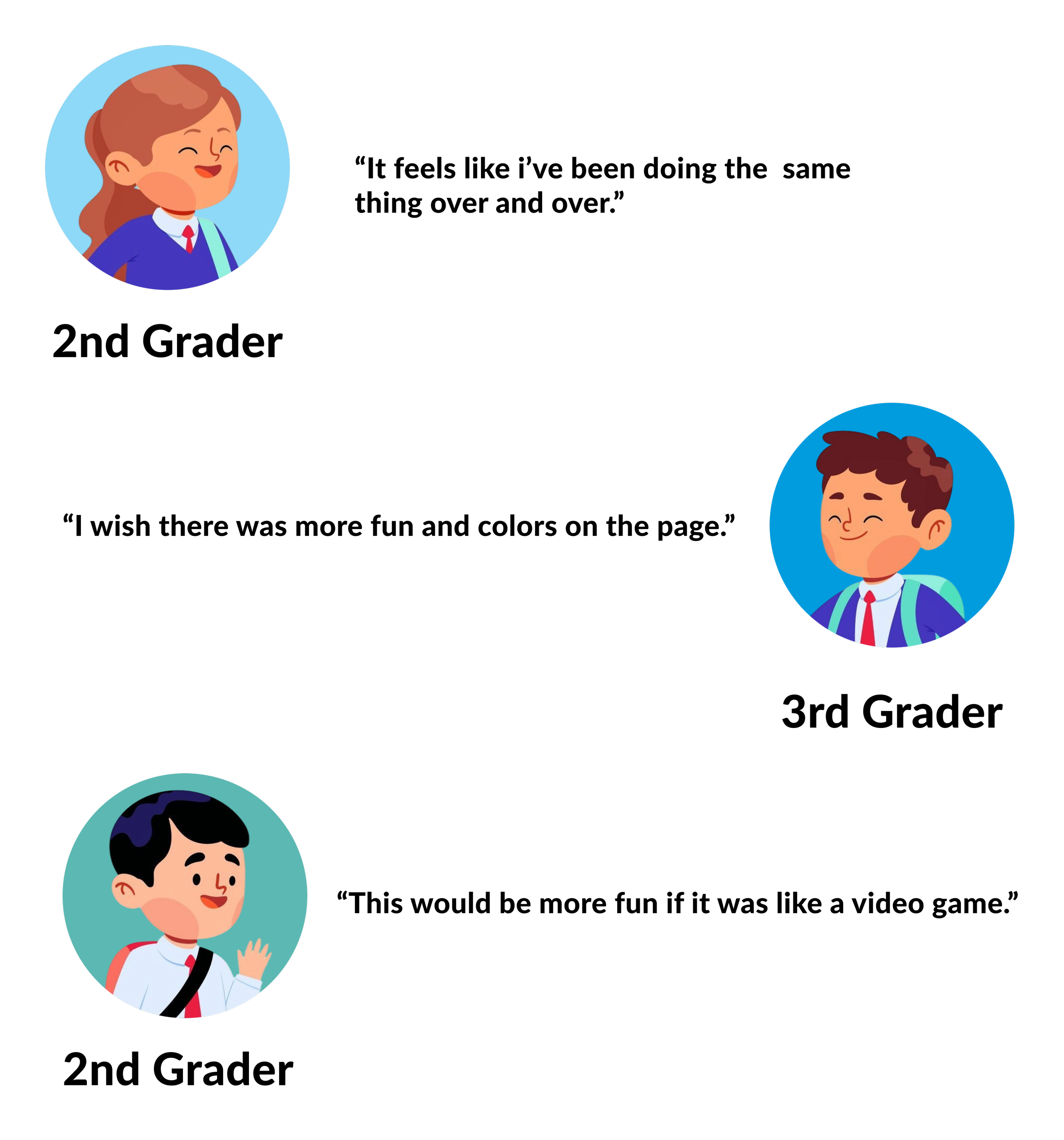
My research began with interviewing 6 different educators from different school districts, and with parental and guardian consent, 12 students ranging from grades 1-3. As a result, discovered the following problems their students have been facing when engaging with FUN HUB Practice.
Many of the students found the current platform to lack entertaining elements .
Teachers struggled to pinpoint exactly how the students pronounce certain words they learned to read.
There isn’t a feature to keep record of student progress.
Too much white space on the screen.
Students do NOT feel rewarded or accomplished when completing the assignments.
Putting everything together
Ideation
The pain points were consistent across the board. It was clear that the FUN HUB Practice platform needed a complete UI makeover to create a more inviting learning environment for these students to learn on the web. These improvements will also affect how teachers keep track of student progress, and opens up opportunity to impove tools used by teachers as well. Within this new wave of iterations, I strived to redesign the web base platform that would not only keep students engaged, but fill in the gap of progress tracking between their teachers.
Prototype + Testing
The Original, The Before
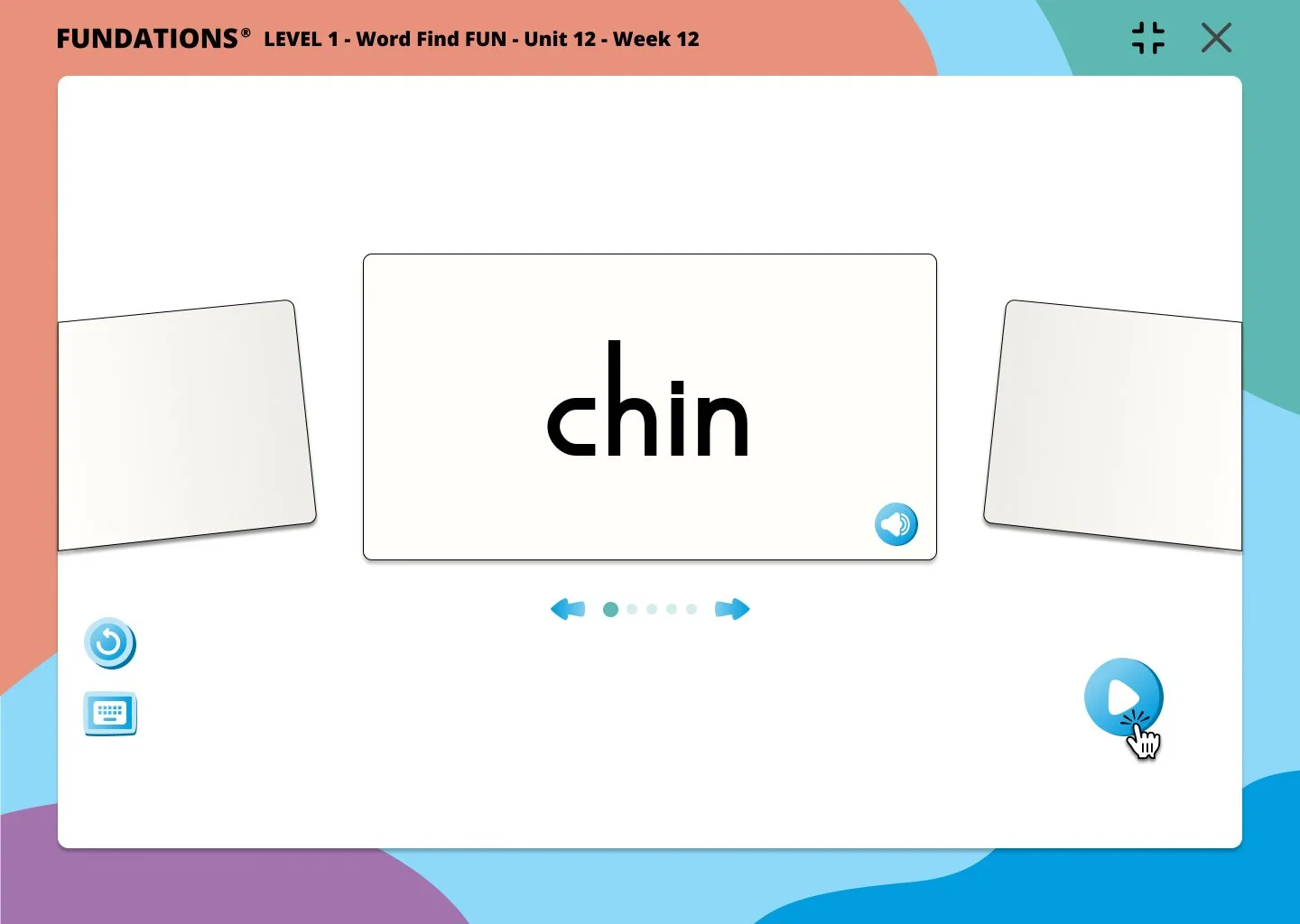
Flashcards are essential to the beginning of some of the activities. Students are required to read each word out loud as the flash cards appear on
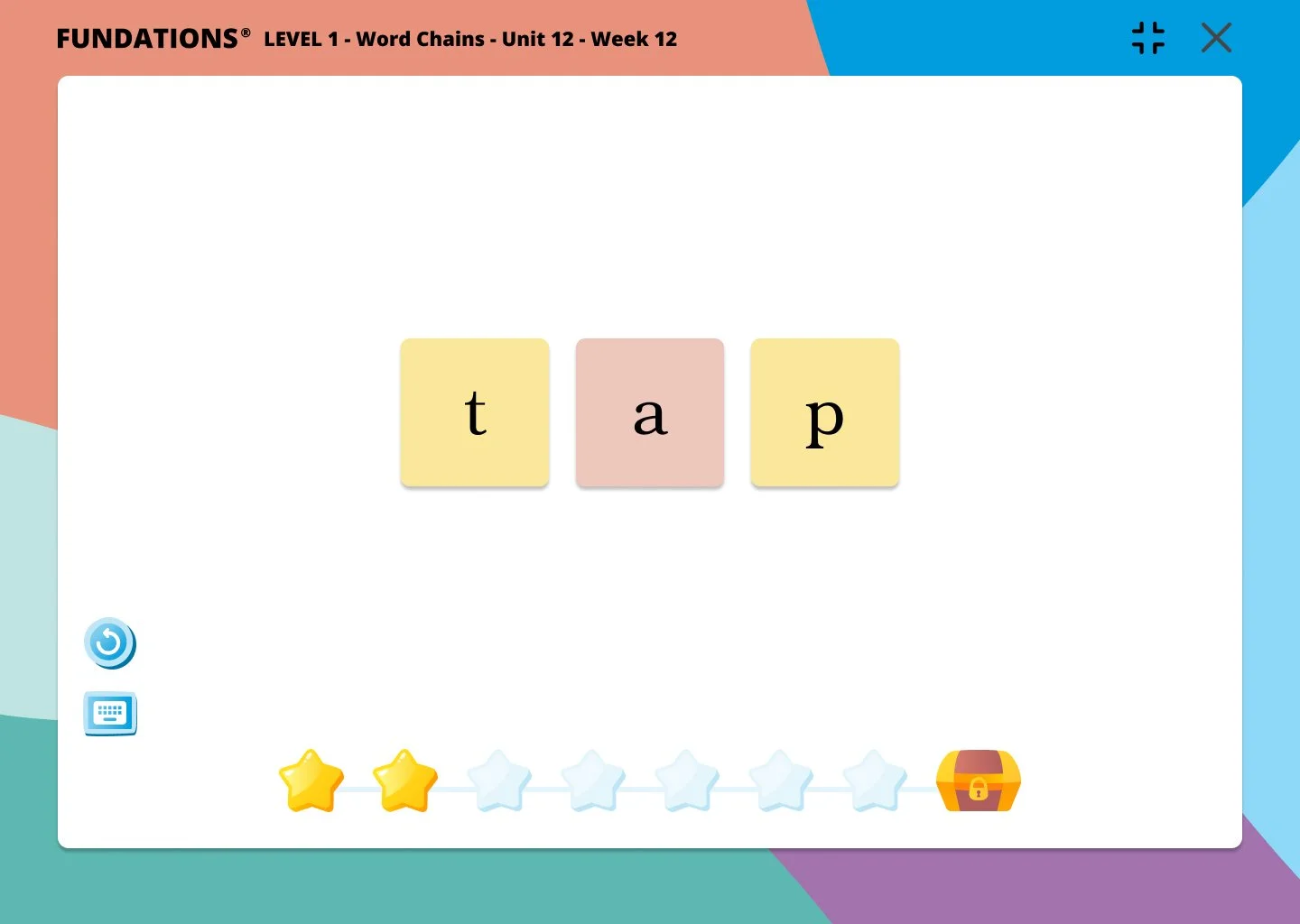
Word Chains, which would later be renamed Build Words With Echo, where students can learn to construct words using letters instructed by the audio.
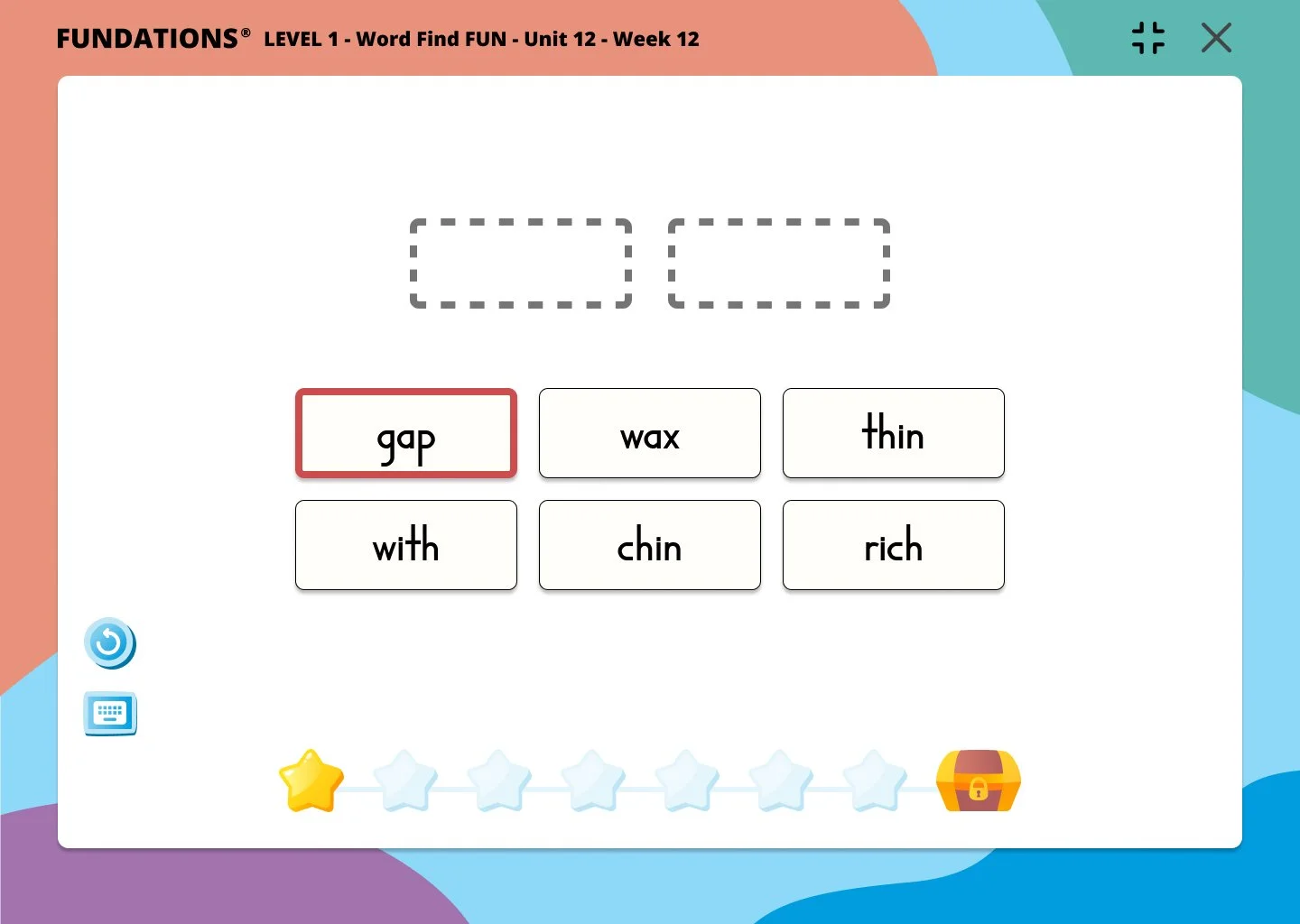
Word Find Fun is an activity where students are asked to find words with similar sounds when read out loud.
Creating a new world
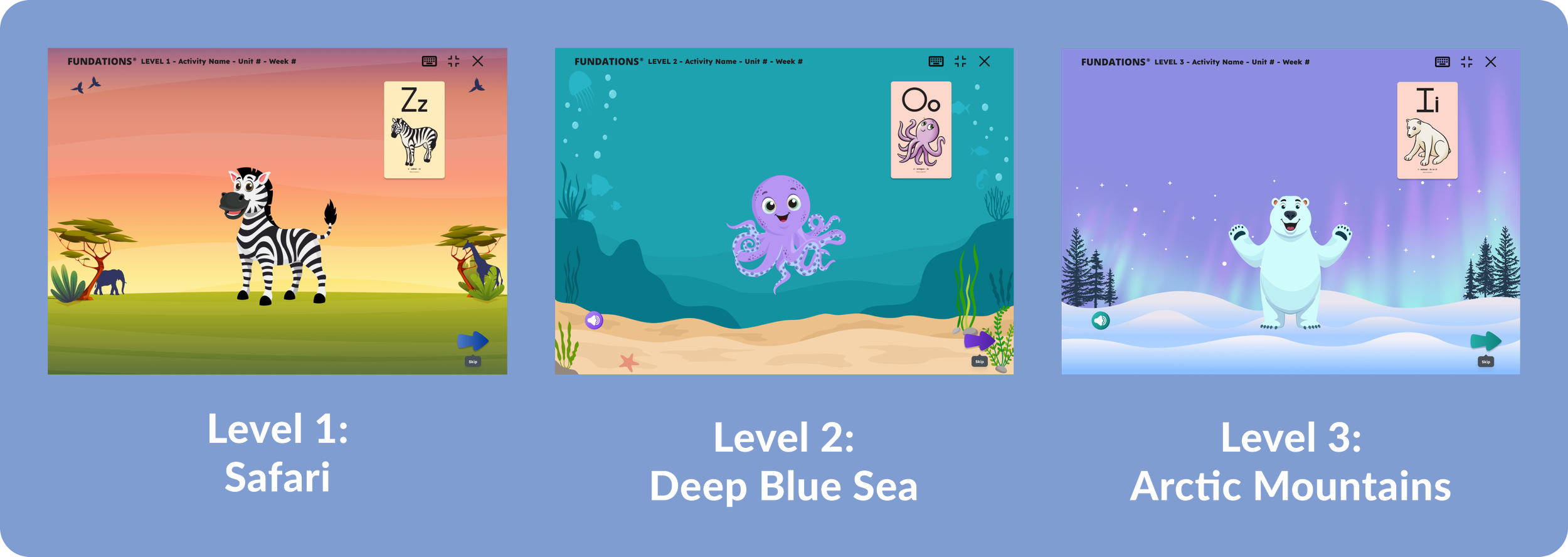
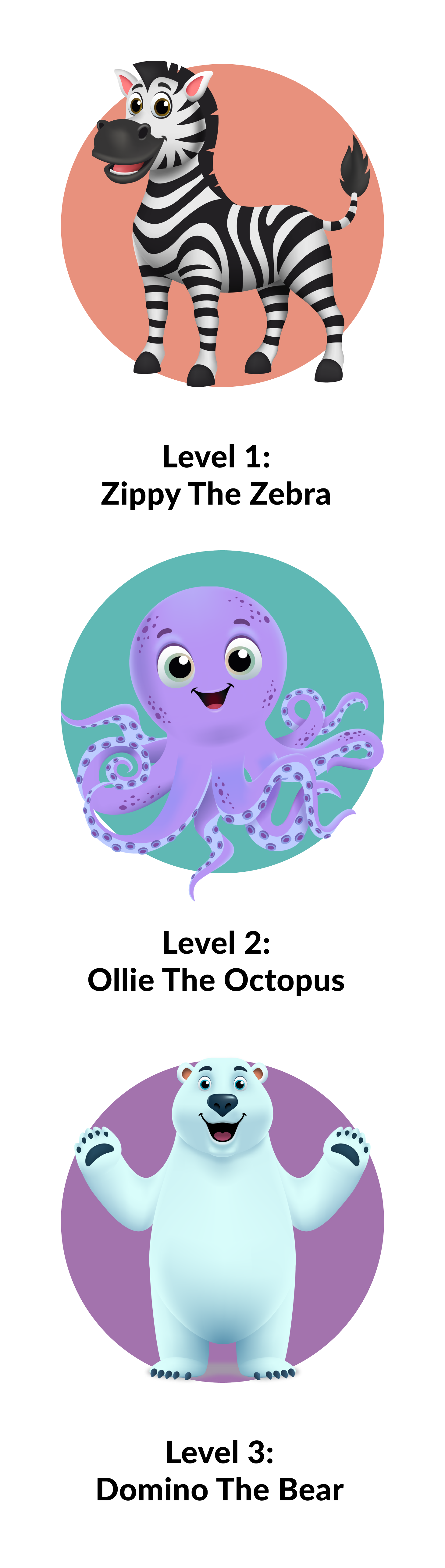
Before the redesign, the primary goals simply for students to complete tasks across activities, and the user interfaces—nearly identical across grade levels—offered few visual cues to distinguish them. Working with our curriculum and accessibility teams, I helped create three character mascots, each inhabiting a distinct natural environment, to give Levels/Grades 1-3 their own visual atmosphere. Usability testing showed that the visual companions meaningfully aided students during problem solving, yielding a 30% increase in student engagement following the mascots’ introduction.
Giving INcentives
Alongside the character mascot narratives, each level features a themed collectible that reinforces its environment and character. Safari treasures align with Zippy the Zebra, ocean items support Ollie the Octopus' underwater world, and icy objects complement Domino the Bear.
Usability testing revealed that the original star-based progress indicator created distraction and anxiety. Replacing it with a gauge improved focus, while success feedback shifted to level-specific collectibles that animate beside the character avatar as students progress through each activity.
The collected objects will then be shown at the end of the activity.
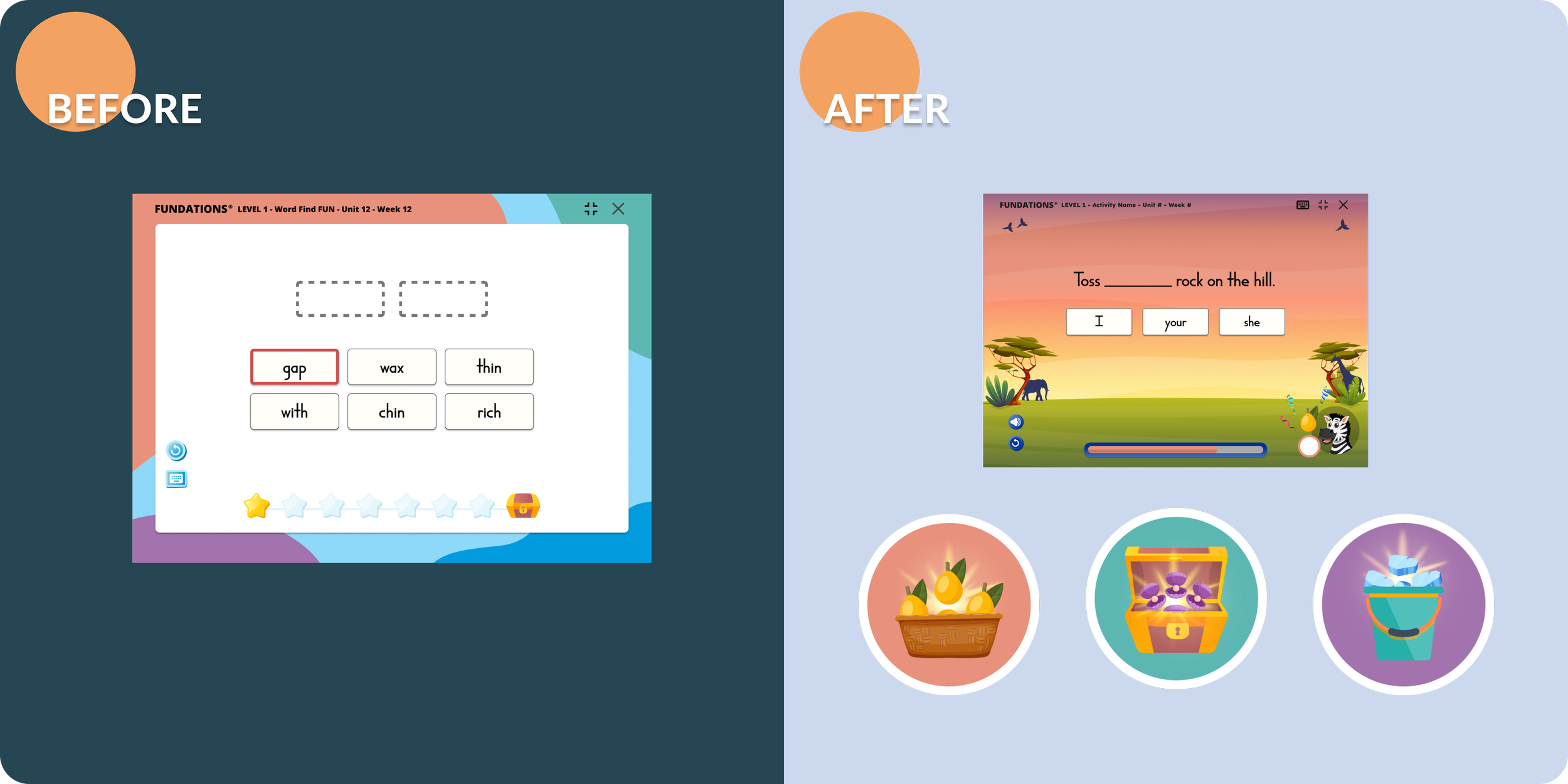
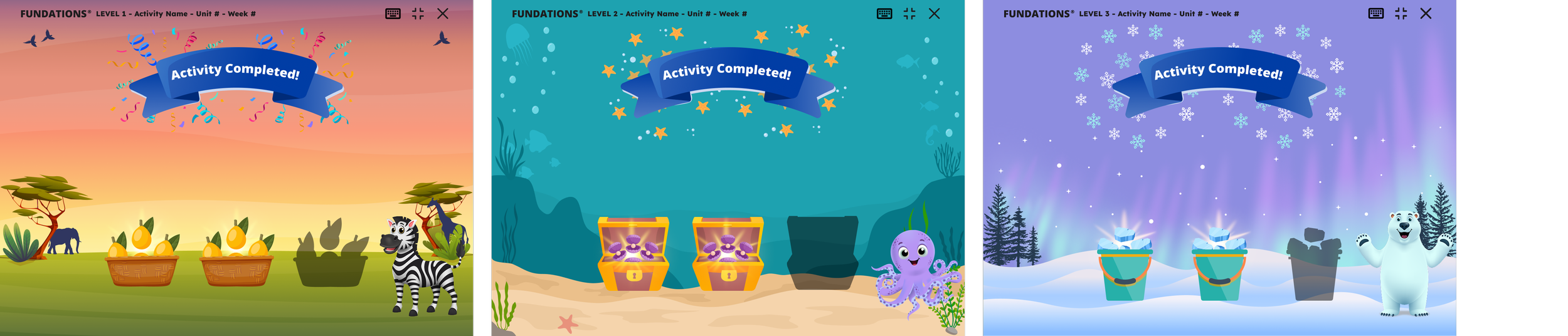
In order to ensure students don’t get discouraged if they don’t answer certain sections correctly, we focused on rewarding them with treasures, and not specific scores. (ex. 1 treasure box populates if students fail, to encourage to retry the activity to gain more treasure)
Give students a voice
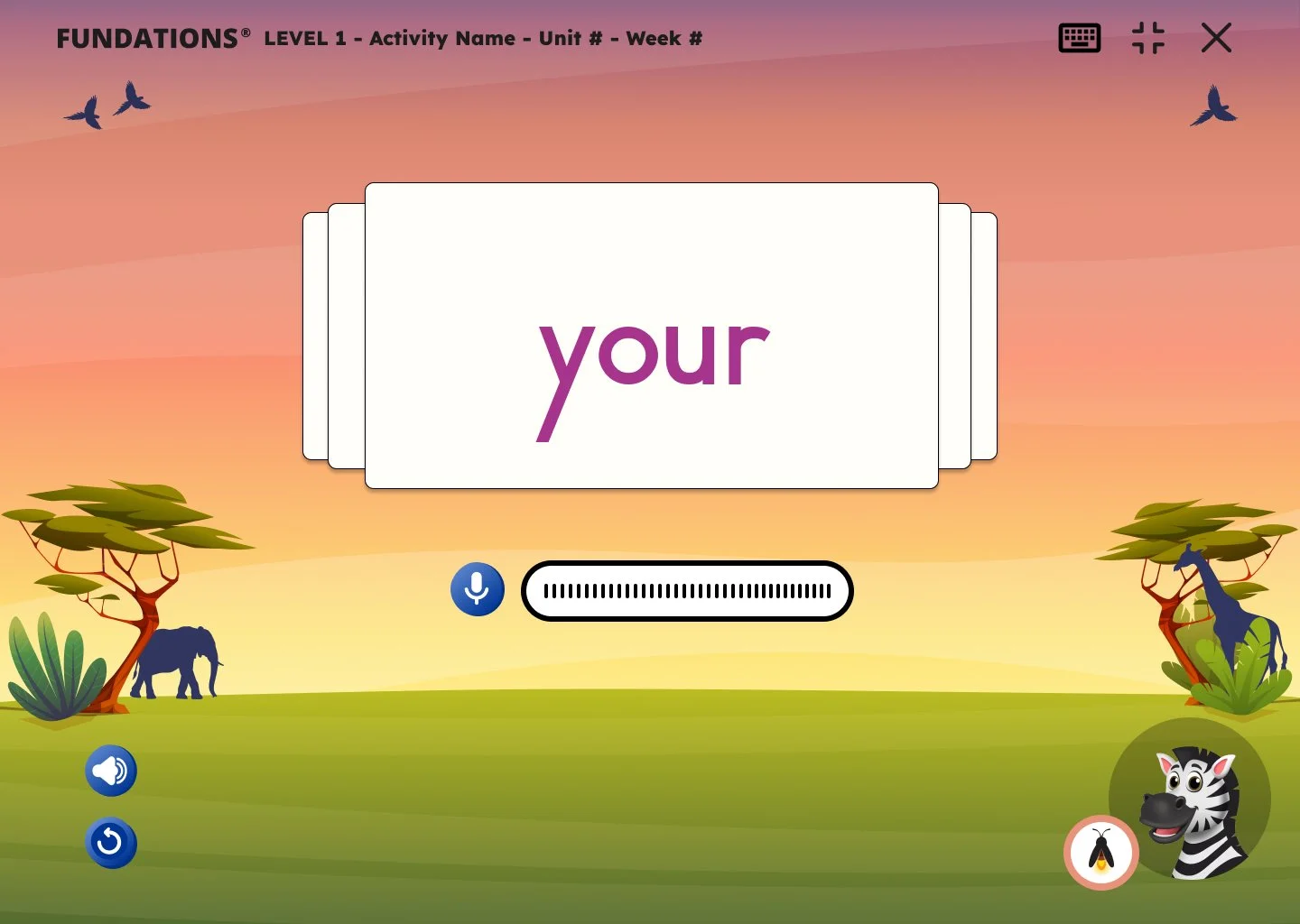
Reading each flashcard out loud is very essential for each student to do before each activity. As they vocally sound out words, they now have the ability to record as they read with the click of the mouse.
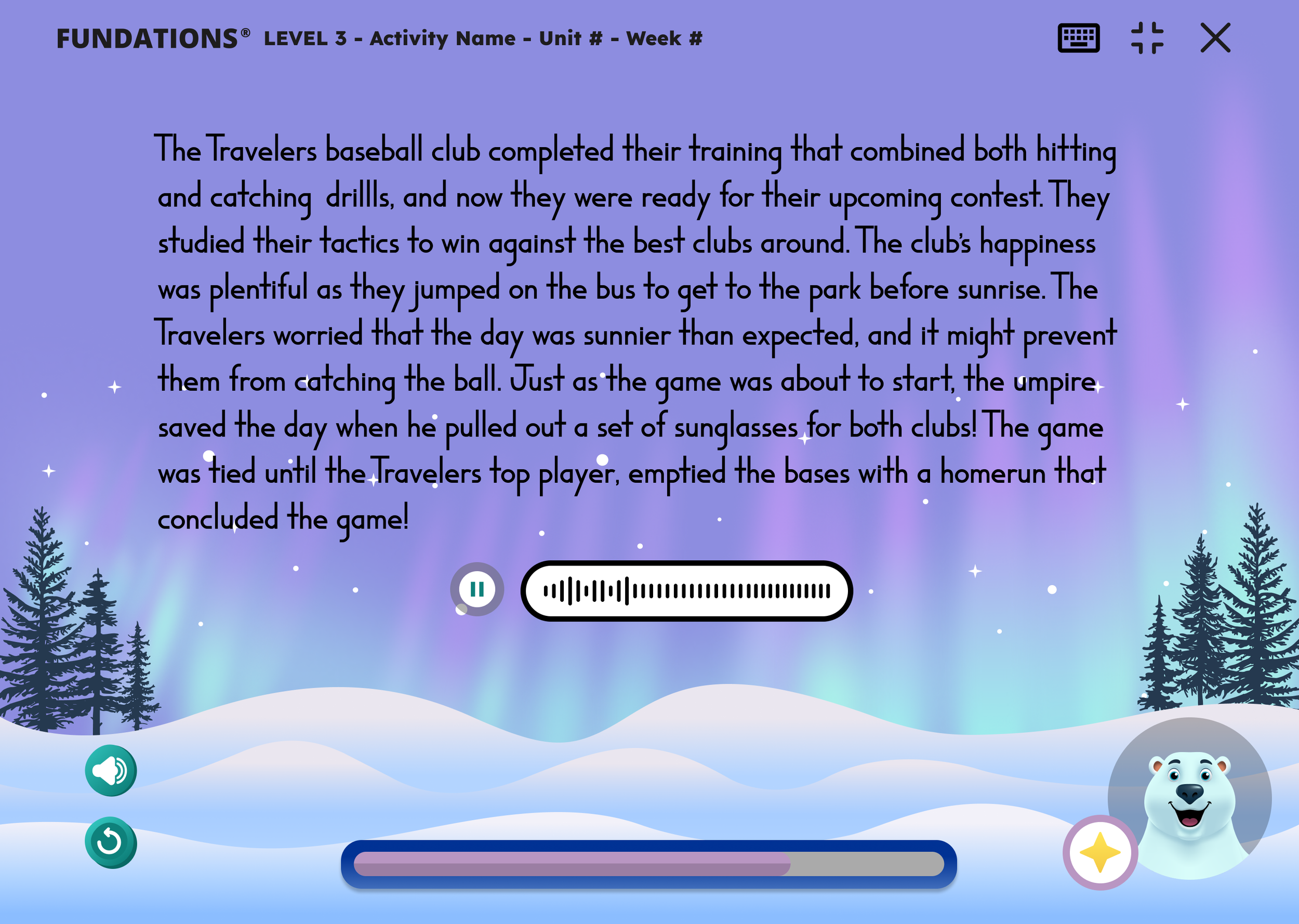
As students reach the 3rd grade level, they will have access to the World of Words activity. Through this activity, users can put their literacy skills they’ve learned from levels 1-2 and read and record different passages.
In comparison to the flashcard recordings, these sound files can go up to a maximum duration of 5 minutes in case the student struggles with pronouncing words or different phases. Once the 5 minute mark hits, users can no longer go back and make any vocal edits.
Grading and referencing
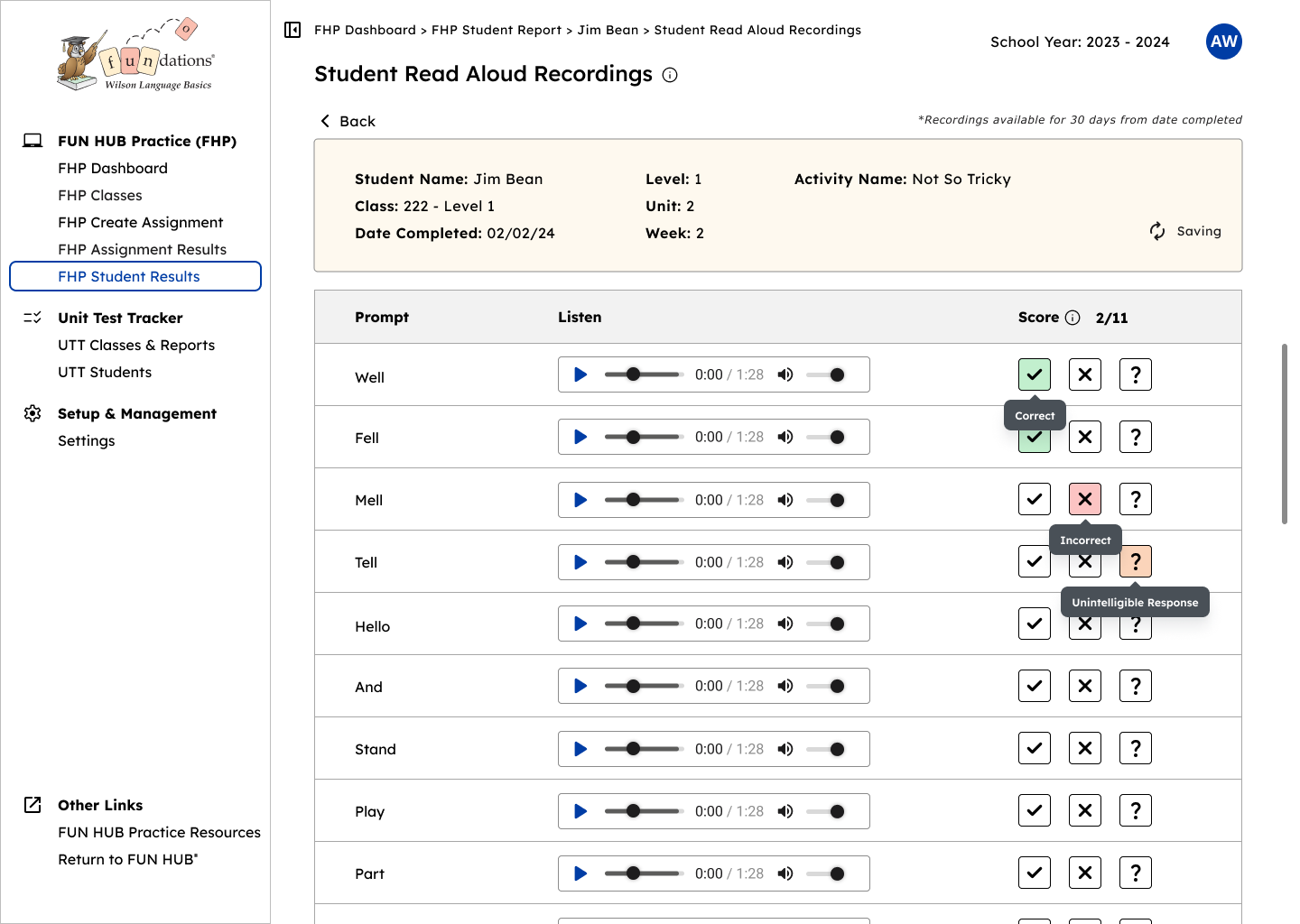
Now that students can record their words, phrases, and passages, this grants teachers a space to not only reference their progress, but even score and grade them if they choose to assess.
Visual Design
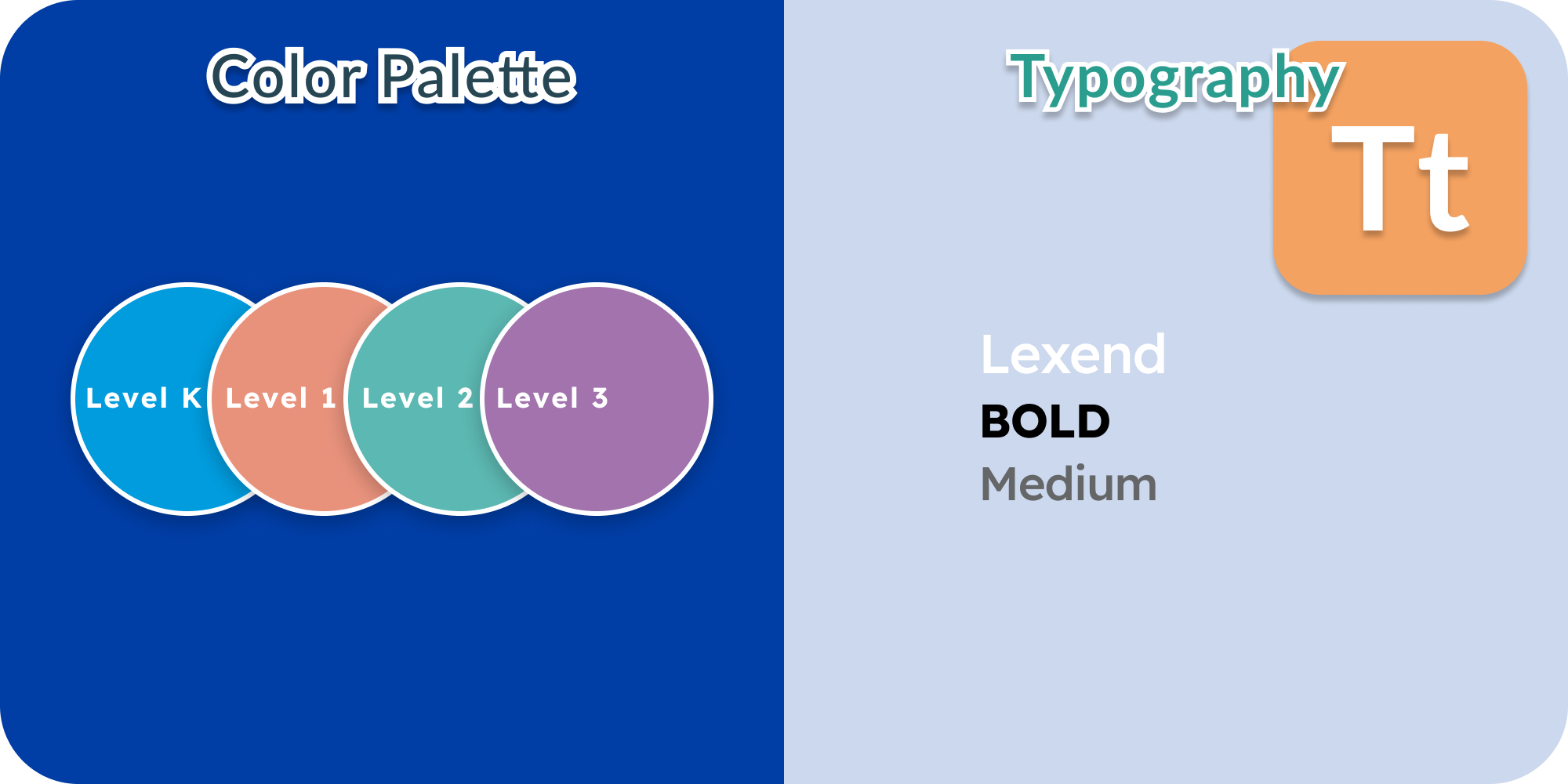
Although Wilson Language Training already had its set of trademark blue colors, each grade level had been given a new set of unique colors, which had been selected in collaboration between digital product, accessibility, and curriculum teams. While honoring the original colors, the colors were selected to compliment and contrast with the Wilson Blue shades.
Final Thoughts On All That Has Been Done
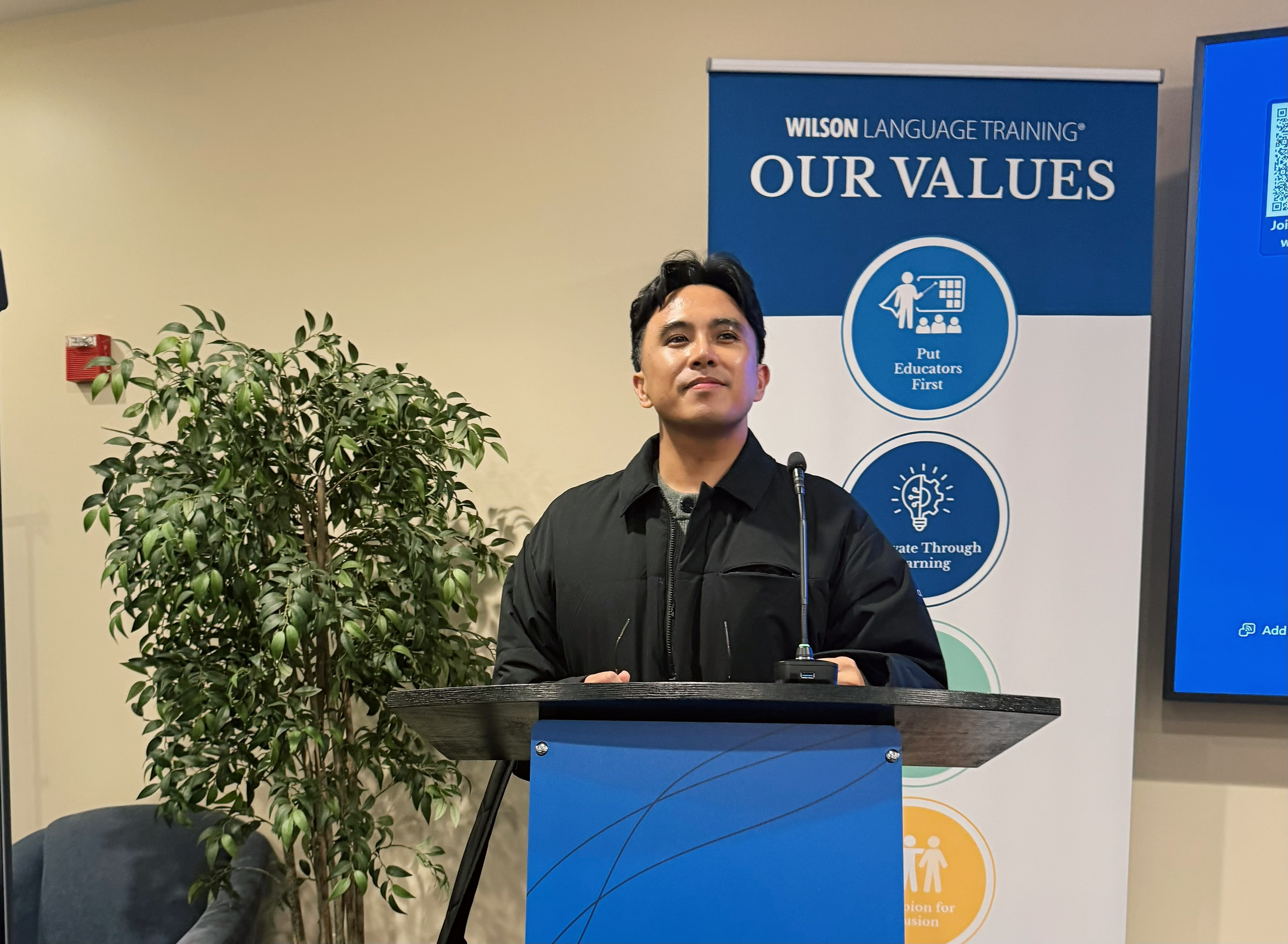
Seeking to bring character and life to these activities were exactly what the platform had needed. One of the most rewarded feelings I ever had as a designer was previewing the designs in front of our target users at the Wilson Language Training conference the summer of 2024.
Seeing teachers reactions to these lessons really made me realize how impactful even the slightest designs could have in the world of education, and realize it is important to design for teachers as much as we do for students.